Choosing the best cheap web hosting in 2026 can be challenging, especially for beginners. After testing multiple hosting providers, I’ve found the most affordable and reliable options that offer great performance, features, and support.
1.Hostinger
2.Bluehost
3.HostGator
4.GreenGeeks
5.Hosting.com
6.DreamHost
7.SiteGround
Summery at a glance:
If you want cheap hosting that balances ease of use, service, and scalability, go
with Hostinger. It’s the most beginner-friendly provider and the lowest-priced
long-term plan comes with everything you need to get started.
Bluehost offers a solid WordPress drag-and-drop website builder if you don’t
want to worry about picking from thousands of themes on your own. It also
has an AI site builder (WonderSuite) that’ll do much of the heavy lifting for
you.
If you want to build an ecommerce store without a high price tag, HostGator
offers affordable WordPress hosting that makes it easy to get WooCommerce
up and running, plus optional ecommerce add-ons if you want more out-of-
the-box store functionality.
However, these three aren’t the only options. GreenGeeks, Hosting.com,
DreamHost, and SiteGround are also great choices.
Let’s discuss into more details about each one for clarification.
- Hostinger: Best of Ease of Use, Customer Support, and Short-Term Scalability
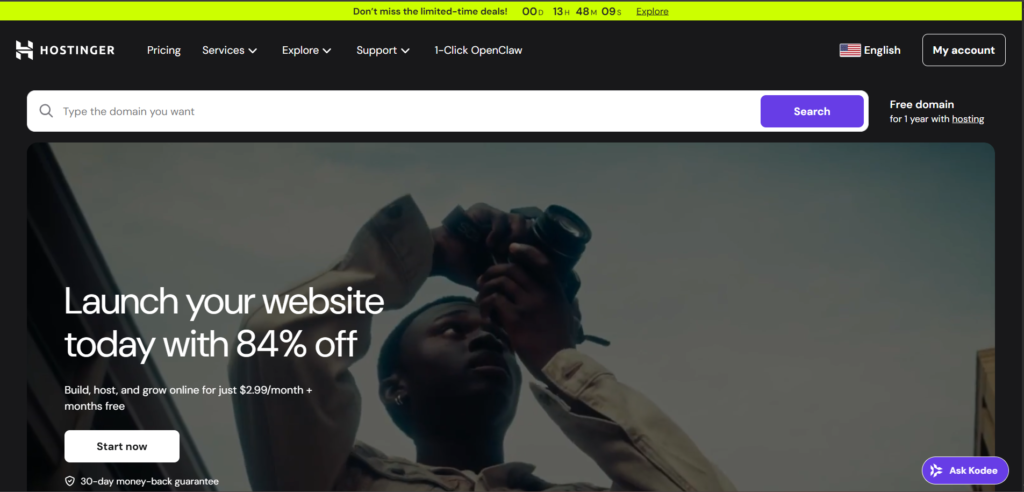
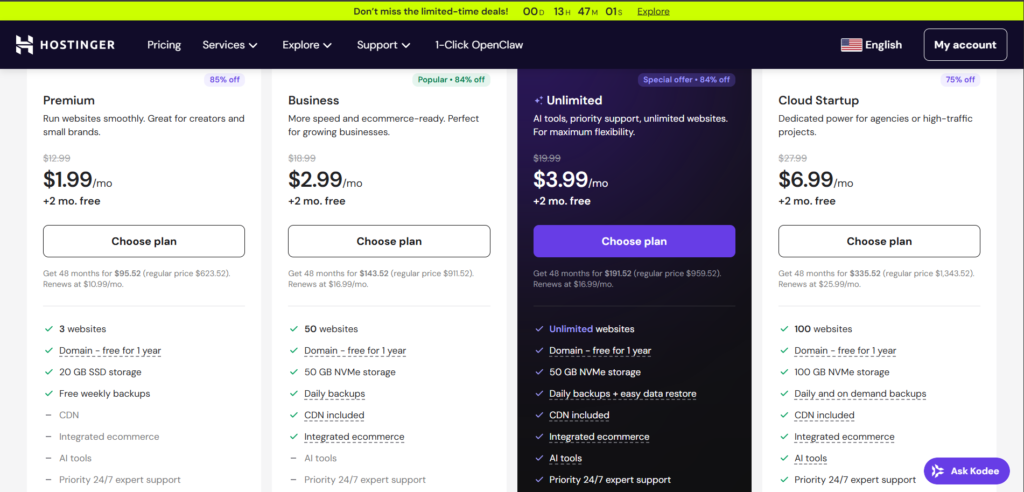
Hostinger is the perfect mixing of quality hosting at an cheaper price, making it
our favourite cheap web hosting provider. While other hosts try to keep costs
low by providing least storage space on entry level plans, Hostinger takes a
different approach with its Premium Web Hosting plan consist support for up
to three websites, 20 GB of SSD storage, unmetered huge traffic, a free domain
for a year on eligible terms, automatic WordPress updates, and a website
builder capacity. Hostinger is perfect if your site has large images, videos, gifs,
and other types of files that take up a lot of space. Hostinger allows you to host
more than one website, so you don’t need to buy a new package every time
you want to start something new. Longer terms typically unlock the best
introductory pricing. Even on the cheapest plan, you will get a free SSL
certificate, unmetered traffic, free, and automatic WordPress updates for
hands-off management. A free domain for the first year is included on eligible
annual terms or Premium plans. Alternatively, you can use Hostinger’s drag
and drop or AI website builder.
You can also get assured that your site is protected by built-in DDoS
protection, firewall protection, and malware scanning.
2.Bluehost: Best WordPress based Website Builder
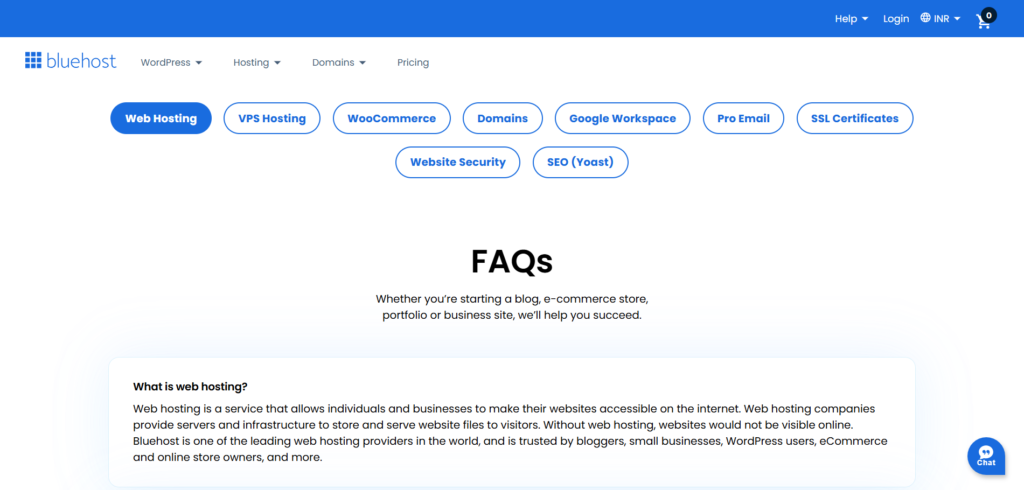
Like Hostinger, Bluehost offers you 24/7 support via multiple channels, comes
with everything you need, and gives you plenty of room to grow without
having to switch to another provider. It’s also one of the hosting providers
recommended on WordPress. Bluehost’s current shared lineup lets you host
up to 10 websites on the entry level plan, with 10 GB of NVMe storage, a free
CDN, a free SSL certificate, WordPress preinstalled, and a free domain for the
first year on 12 months or longer as per plan. WordPress is flexible, straight
forward, and highly customizable too. It’s not the easiest website platform out
there, but Bluehost makes using it as simple as it is. The platform comes with
pre-installed for you and there are dozens of free tutorials that teach you
everything you need to learn. Even if you’ve never built a website before,
Bluehost’s special mistake-proof onboarding process walks you through every
step. While all other hosts on this list also integrate nicely with WordPress,
Bluehost provides an extensive range of WordPress-centric features and
hosting plans specifically designed for users of WooCommerce platforms.
In addition to themes, Wonder Suite also provides an easier way to customize
and update your website than ever before. With it, you’ll be able to drag-and-
drop your way to a professional and custom website that looks amazing and
matches your brand’s style and design regardless of whether you’ve ever built
a website before. Overall, this introductory plan is an excellent place to start
out with, especially for your first website hosting experience.
The more advanced plans provided by Bluehost also include more storage
space, more security features, backups on select plans, and more—making it
worth it if you plan on hosting more than one website. In every case, no matter
what plan you choose to host your website on, Bluehost provides an easy-to-
use system that guides you through creating your very first website. You’ll also
be walked through a step-by-step tutorial on exactly what to do to get your
website up and running from start to finish, or choose to skip this process if
you know exactly what you’re doing.
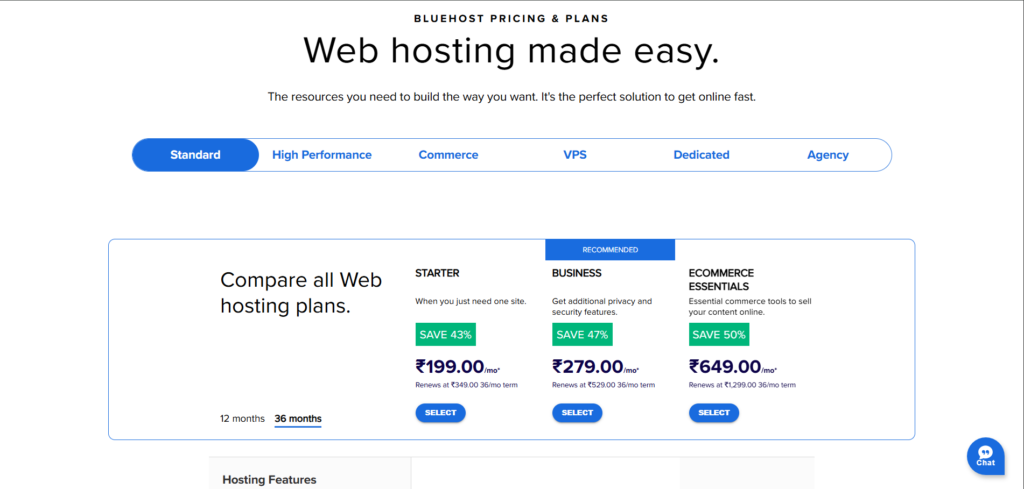
3.HostGator: The Best (Cheap) WooCommerce Hosting

If you have not developed an ecommerce site before, it can be overwhelming
and confusing. HostGator is a better option because it will make it easier to get
started with WordPress and WooCommerce by including a lot of the basics you
will need in an ecommerce site and providing a straightforward way to add
ecommerce to your site as you get started. From a technical standpoint, you
can use any of the hosts we have reviewed to start an ecommerce site.
HostGator just provides a better experience at the beginning and provides
plenty of optional upgrades to add ecommerce site features beyond the basics.
While it is true that ecommerce hosting is more expensive than basic shared
hosting, it is justified by the additional features and benefits you receive.
Rather than having to find all of the components of an ecommerce site to get
started, you will be able to start simple and add ecommerce site features as
you need them, including shipping solutions, better marketing solutions, and
other ecommerce site upgrades. In addition to this, you will have themes and
templates to make the design process easier. This will make it much easier to
get started with an ecommerce site. There are thousands of themes to choose
from, and this is overwhelming because it is true.
Both of the ecommerce plans include unlimited products (because
WooCommerce does not limit products) and payment processing through
WooCommerce. In addition, they both include automatic WordPress updates,
so you don’t have to worry about using outdated versions of the platform.
One thing to note is that website analytics is something you don’t see with
most of the other services at this price point. The big differences between the
two plans usually revolve around the resources included, backups, and security
depth, as well as any included enhancements for using WooCommerce.
So, the lower plan is more than sufficient for getting started. If you have any
issues or need any help, you can always reach out to their customer support
team, who’s available 24/7 through live chat, phone, email, and ticketing. We
found we never had to wait more than a few minutes for a representative to
assist us. In most cases, the representatives we dealt with were knowledgeable
and more than happy to assist us with our questions. We were very surprised
at how easy it was to get a hold of a representative and how quickly we got
answers to our questions. This was a big plus compared to some of the drawn-
out processes with some of the other services we reviewed.
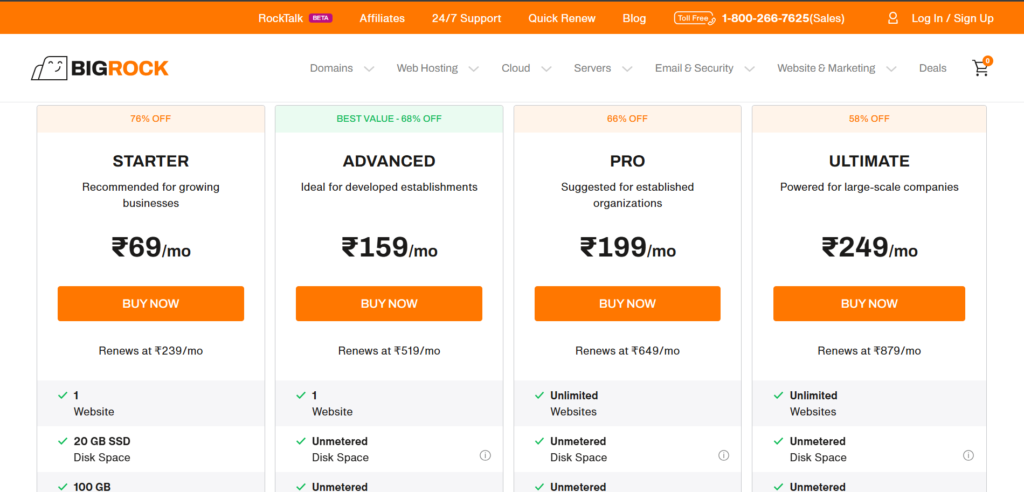
4.DreamHost: The Cheapest Month-to-Month Web Hosting
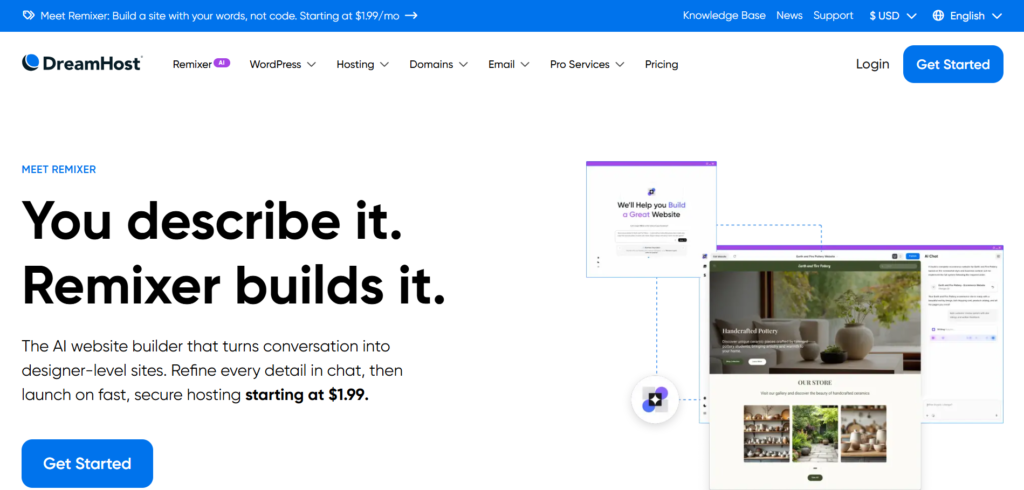
When you survey the landscape of hosting providers, you will find one theme
common to everyone that sweet promotional pricing you see on their
homepages only comes on long-term contracts. DreamHost still stands out
because it actually sells real month-to-month shared hosting without forcing
you into a long commitment, and the short-term price is still lower than what a
lot of other hosts charge for no-contract plans. DreamHost refreshed its lineup
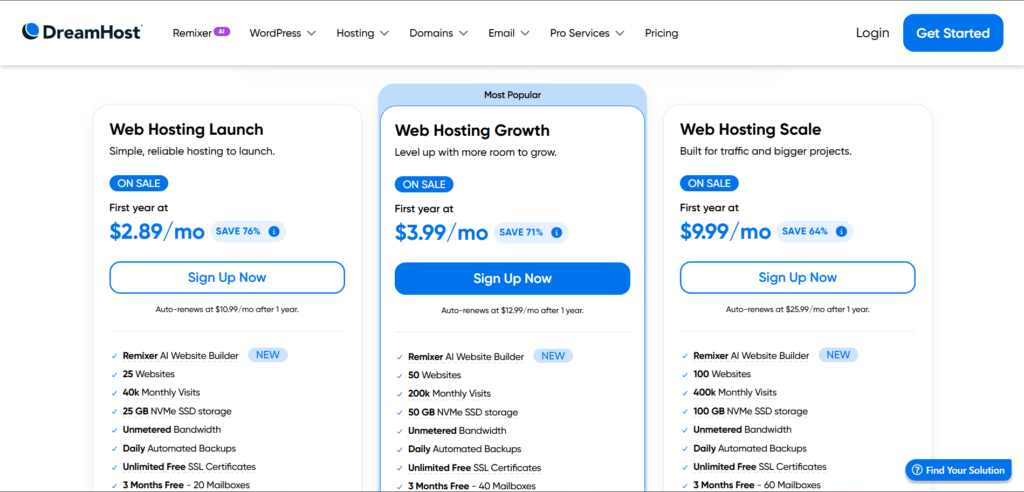
with it’s Starter and Shared Unlimited plans. There are now three shared
plans—Launch, Growth, and Scale. Launch gives you up to 25 websites, 25 GB
of NVMe SSD storage, unmetered bandwidth, daily automated backups,
unlimited SSL certificates, and a free domain for the first year when you pay
annually. Growth and Scale raise site limits to 50 and 100 and increase storage
to 50 GB and 100 GB.
This makes DreamHost exceptional for trying their hosting services out without
commitment; it also positions this provider as the best (and cheapest) choice
for specific site cases. We’re thinking of event websites, landing pages
attached to marketing or sales campaigns, registration pages for classes or
webinars, and just about anything else where a website isn’t meant to stick
around until the end of time. If you have a site that is meant to have a
relatively short lifespan and you are in the market for a web host that is
inexpensive and reliable, DreamHost is the place to turn to before all other
options. It is not just the fact that they offer inexpensive plans that do not
require a contract that is attractive. It is the fact that they offer reliability as
well. For the duration of our testing, the uptime and service provided by the
servers at DreamHost were excellent for a shared plan. This means that not
only are you not breaking the bank to keep your relatively temporary site up
and running, but you are also not worried about it not functioning as it is
supposed to, whether that is converting visitors into subscribers or something
else. This is all in the Launch plan, which allows for up to 25 sites and comes
with daily backups. You also get a few months of email accounts, and if you
need more than that, you can always get them. If you need more sites, more
space, or more email accounts from the very beginning, the Growth and Scale
plans are the way to go.
Something else that you should keep in mind is that the free domain is only
available if you are billed annually or longer.
5.SiteGround: The Best for Getting Truly Helpful Support

There are a lot of hosting companies that promise you the moon. But, when
something goes wrong, they don’t have your back. Not SiteGround. They
provide one-on-one help for all their users. You can get a hold of a SiteGround
representative 24/7 through their live chat feature. Phone support is also
available 24/7 (usually in English). Their other channels of communication can
help you in multiple languages. This is a huge difference over many other
hosting companies who use a bot to answer your questions and avoid hiring
people to actually provide you useful help. Every time we tested their
customer support through live chat or phone call, we were immediately
connected to a SiteGround representative. And, to make things even better,
they got to the point quickly by providing relevant articles, step-by-step
instructions, and a clear idea of what you could or could not accomplish.
The longest call or live chat session took only eight minutes to resolve. With
some other companies on this list, we had to wait three times as long just to
connect to a representative. And, to make things even better, there was no
attempt to sell us anything else, in addition to their very friendly and helpful
nature. I was particularly impressed by the support chat’s response to our
question about site speed, which you can see a snippet of above. They
provided us with several options for resources I could use to keep our site
speedy, and they never made us feel like a question I asked was silly or a waste
of their time.
Also, as a side note, I was very pleased with the speed of SiteGround itself.
For a month, I only saw a couple of seconds of downtime, and our site load
speeds were (mostly) consistently under a second.
Of course, for this level of service, you will be expected to pay a little more
upfront. The initial costs are pretty standard, but the promotional rates for
annual terms are pretty low. Just be aware that when it’s time for renewal, the
cost will be significantly more than what you signed up for originally.
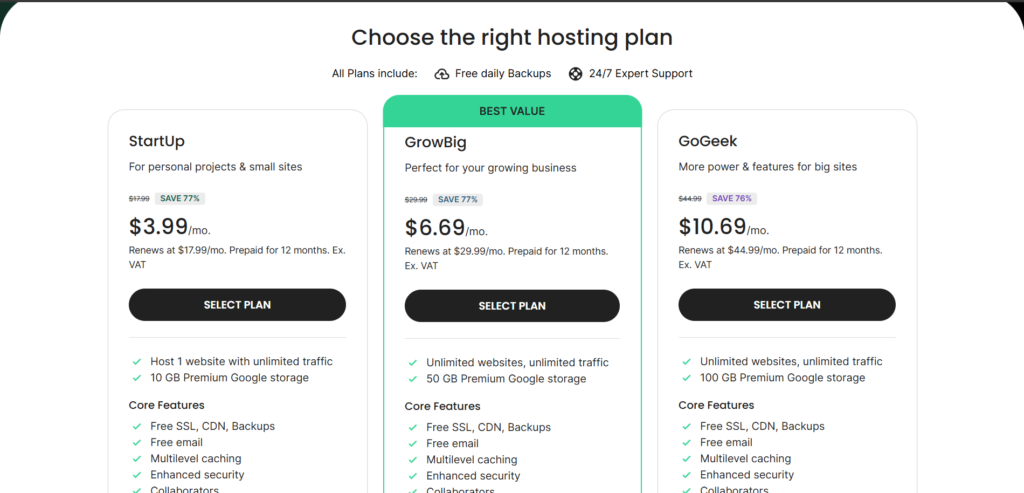
If you need a hosting plan that allows for more than one website, GrowBig is
the better choice.
The main trade-off for SiteGround is the renewal cost. Budget for this if you
anticipate staying for more than a year.
However, as I mentioned above, I feel this cost is well worth it for the level of
service they provide, which includes top-notch customer service.
6.GreenGeeks: The Fastest Cheap Web Hosting

If you want speed for a bargain, GreenGeeks is the way to go. I were amazed
when I took the 30-day challenge and saw just how well GreenGeeks blew the
competition out of the water when it came to this. And the truth is, they don’t
boast about their site speed like other web hosting providers do.
Now, I did have a pretty bare-bones website for the testing. I did this for all of
the web hosting providers I tested. But GreenGeeks took this category of
testing by a landslide, giving us an average load time of under half a second.
For all but a handful of days, GreenGeeks had our website loading in the blink
of an eye, as long as the load time is under one second. This is double the
speed of some of the other web hosting providers I tested, and this is for a
shared hosting service. You don’t even have to install any special plugins or
adjust any settings to get this speed. Even on their worst day, GreenGeeks is
faster than some of the other web hosting providers I looked at on their best
day.
They also give you a special process for getting started, where you can choose
which plugins you want installed initially. This saves a lot of hassle because you
do not have to uninstall plugins that you do not want to use. The setup wizard
provided by GreenGeeks was also very good in terms of streamlining the
process of getting set up on their service. The only thing I found wrong was
that there was no information provided on what to do after I installed
WordPress. It’s worth noting that you’ll have to pay a little more than some
other providers in order to get this level of speed on a shared hosting service.
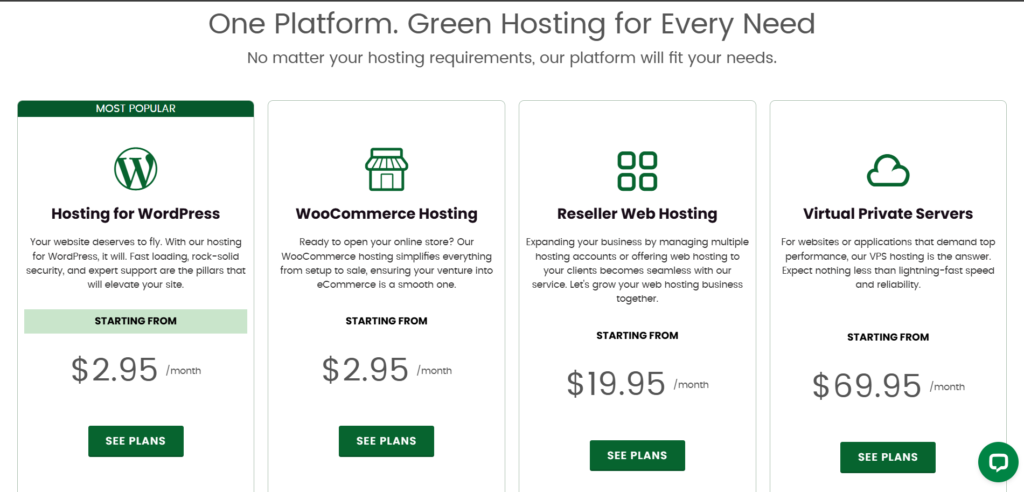
This is to be expected, though. The promotional pricing is right in line with all
of the other big names in hosting. The basic plan includes one website with a
set storage allotment, while the mid-tier plan includes an allotment for an
unlimited number of websites with more storage space. This plan also comes
with a free year of a custom domain name, a free SSL certificate, daily backups,
and a 300% green energy match, while also planting a tree for every new
hosting account.
This is a good thing to promote if your company or organization is also green-
friendly.
7.Hosting.com: The Best for Sites Focused on Europe and Asia
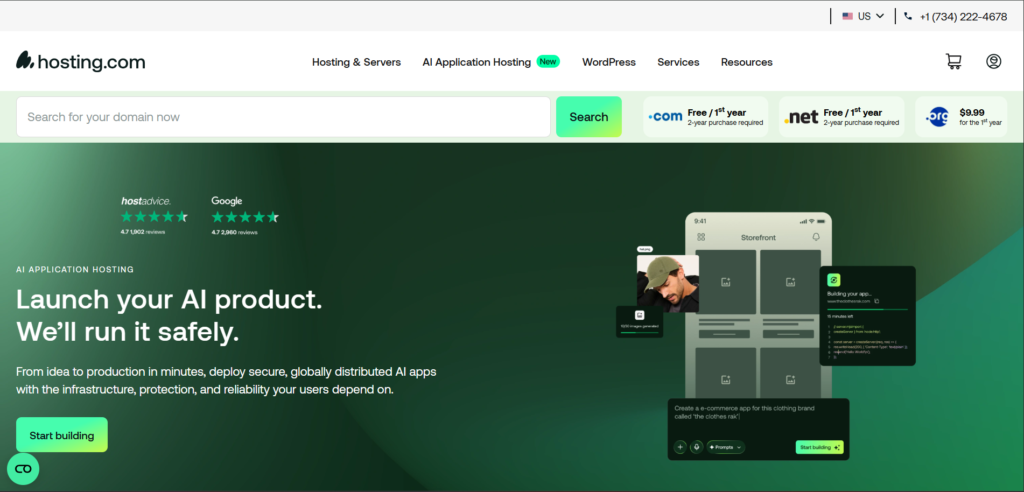
Hosting.com, formerly A2 Hosting, is the perfect choice if you’re looking to get
affordable shared hosting that still has the ability to perform well even if you
have site visitors all around the globe. This is due to their well-positioned data
centers. Not only do they have data centers in the U.S., but they also have a
global data center network, including Europe and Asia. This allows you to place
your site as close as possible to your users to ensure that the time to first byte
is kept low. And to top it all off, they have two separate data centers in the
U.S., in Arizona and Michigan, which allows you to minimize the time to first
byte if you have a larger number of site visitors on either the West Coast or the
East Coast of the U.S. But it’s their global data centers that really appeal to us,
and this is because, although they may be a bit pricey, they’re not as
compelling if you’re primarily serving users domestically. Introductory pricing is
competitive across all single site and multi-site plans, and you’re also able to
get long-term promotional pricing on select plans. And if you’re willing to pay a
little more, you’re able to get one of the more unique plans that Hosting.com
has to offer: their Turbo Servers. For those of you who are currently using
another web hosting provider and are thinking of switching to Hosting.com
because of their lower price, you’ll be happy to hear that they offer a free
migration. This not only saves you money but also ensures that you get a
smooth migration to their site so that you don’t have to worry about downtime
and data loss.
And speaking of price, it’s worth noting that not all plans come with a free
domain. This is not really a problem in most cases, as a domain is relatively
inexpensive, but it’s something to consider if you’re on an ultra-tight budget.